

Download LabyMod – Minecraft client, modding tool, performance optimization, voice chat, modpacks, Fabric and Forge mods, version switching
Overview
LabyMod is a dedicated Minecraft client designed to enhance gameplay through modding flexibility, performance optimization, and seamless version management. Tailored for both casual and advanced Minecraft players, it serves as a powerful utility for those seeking to customize their experience beyond the vanilla game. The client addresses common challenges such as complex mod installation, version conflicts, and fragmented communication tools by integrating essential features into a single, streamlined interface. Its primary purpose is to simplify modded Minecraft experiences, allowing users to manage modpacks, switch between versions, and communicate in real time—all without requiring deep technical knowledge.
Target users include modding enthusiasts, server communities, content creators, and players who frequently experiment with different gameplay styles. The LabyMod Team, though not detailed in technical specifications, appears to prioritize accessibility and performance, evident in the client’s quick setup and efficient resource handling. Real-world use cases include setting up a custom modpack for a private server, testing new mods before full deployment, or joining a community server with voice chat already enabled. In the broader app ecosystem, LabyMod fills a critical gap for players who want a unified, reliable platform to manage their modded Minecraft journey, reducing dependency on third-party tools and fragmented workflows.
Key Features & Functionality
- Quick Installation: The client can be installed in seconds by simply double-clicking the installer, minimizing setup friction. Users may log in with their Minecraft account or skip authentication for immediate access, ideal for temporary or guest use.
- Modding Support: Full compatibility with both Fabric and Forge modding platforms enables users to install and manage a wide range of mods. The client supports modpack creation and management, allowing players to test, save, and deploy custom configurations efficiently.
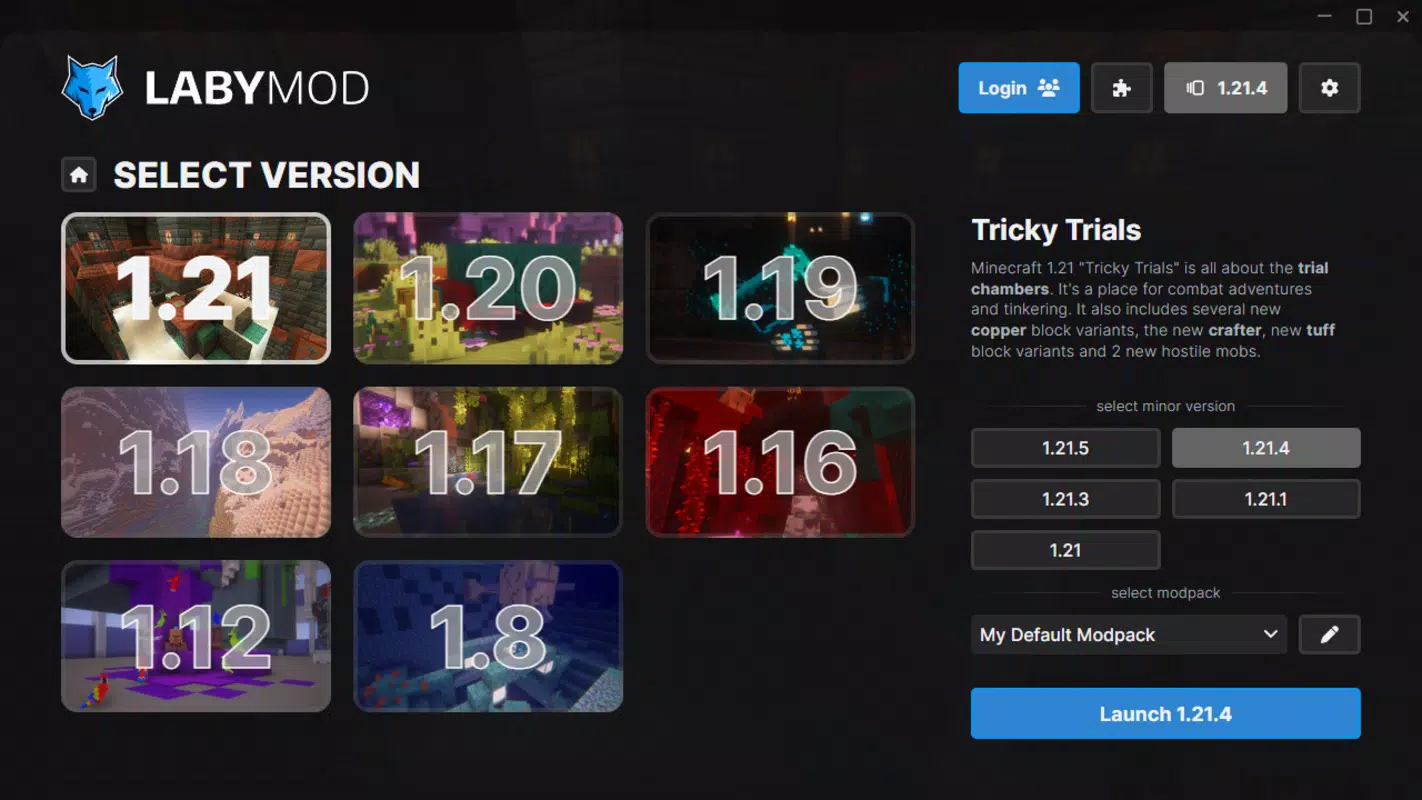
- Version Flexibility: Seamlessly switch between Minecraft versions—such as 1.8, 1.21, and others—using a single click. This feature is particularly useful for maintaining multiple modpacks tailored to specific versions without reinstalling the game.
- Integrated Voice Chat: Built-in voice communication allows players to chat with friends during gameplay using a connected mic or headset. Features include mute controls, voice activation settings, and the ability to disable voice chat when needed.
- Enhanced Customization: Offers extensive skin customization and interface personalization, empowering users to tailor the visual and functional aspects of their client to match their preferences.
These features collectively streamline the modding process, reduce technical barriers, and improve collaboration in multiplayer environments. For example, a content creator can quickly switch between versions to test a modpack across different updates, while a server admin can manage multiple modded instances with ease. The integration of voice chat eliminates the need for external communication apps, improving immersion and responsiveness during gameplay.
Interface, UX & Performance
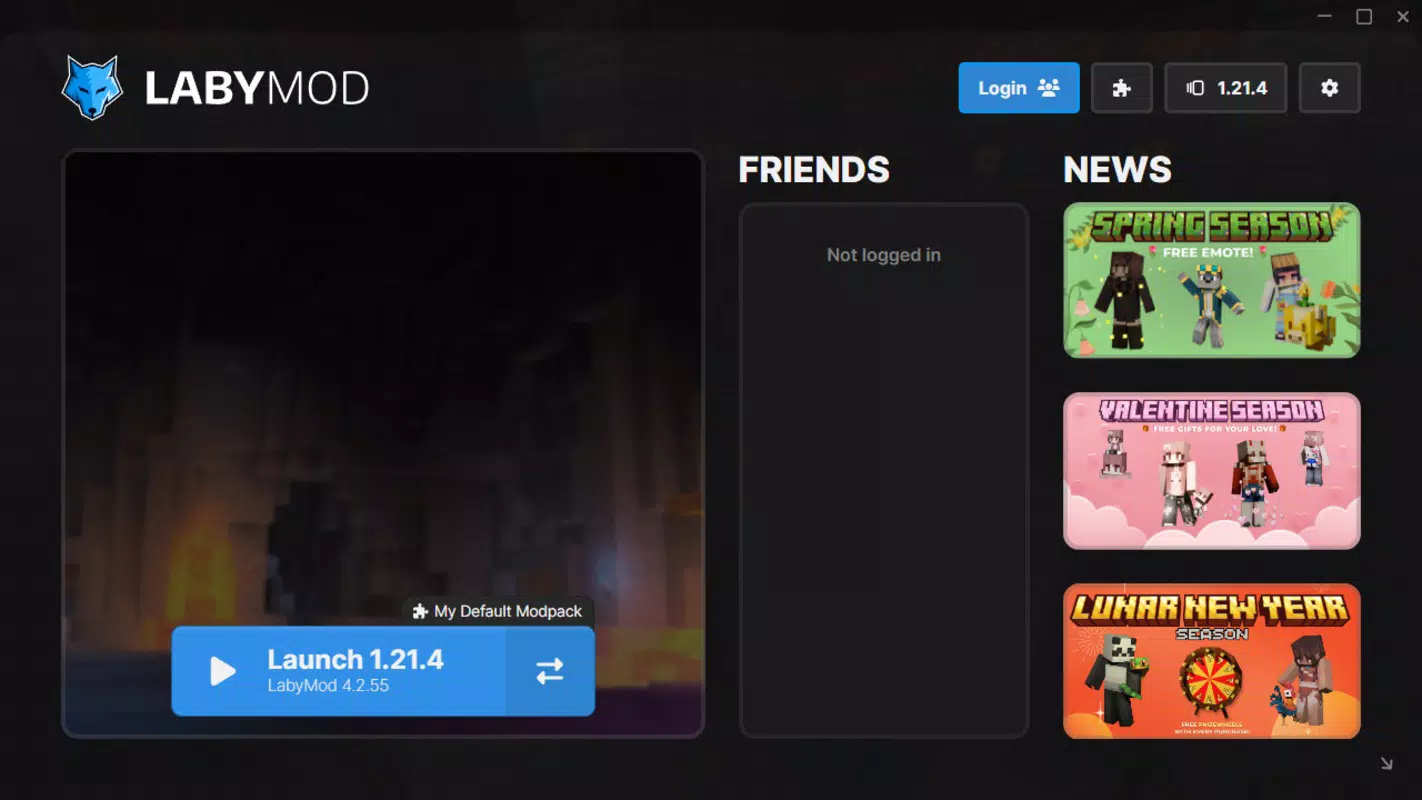
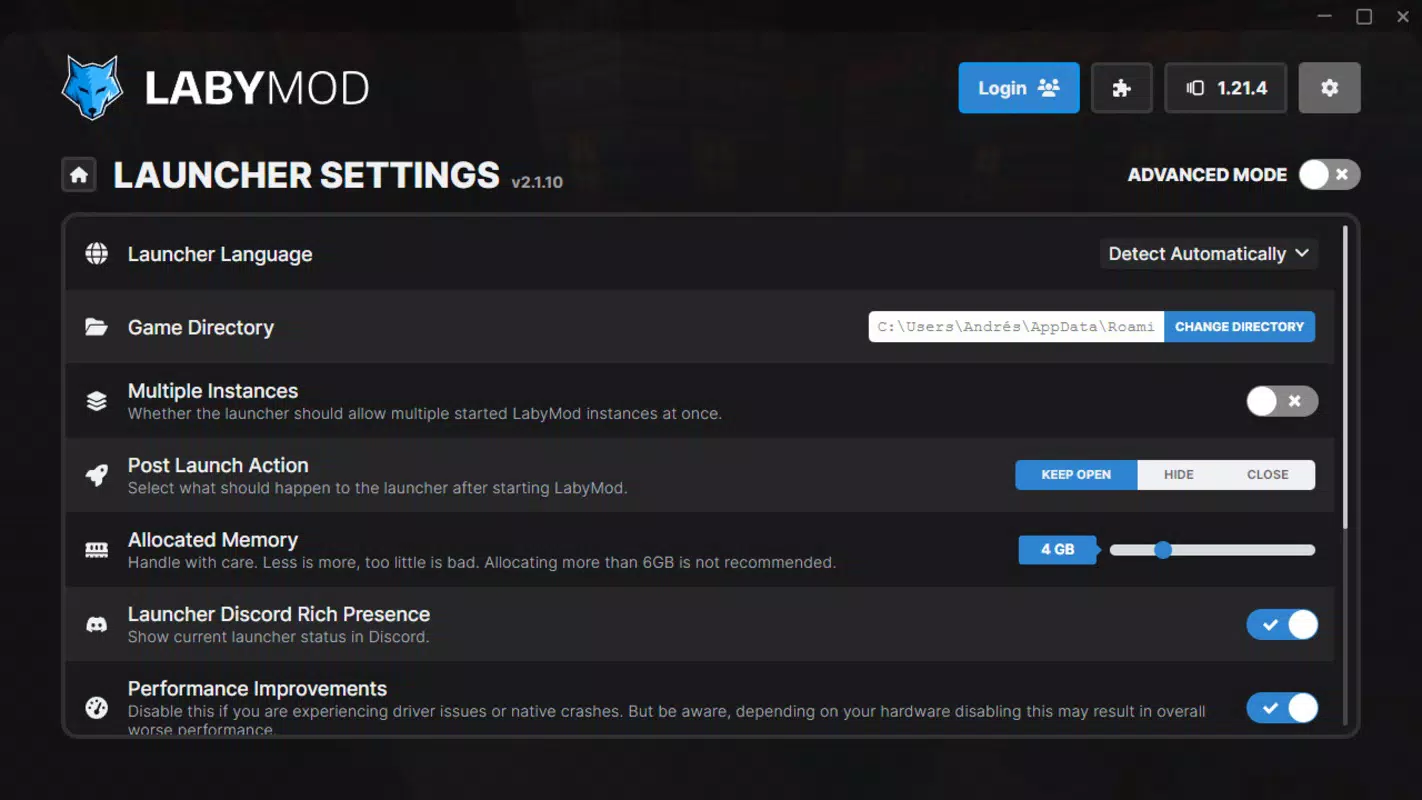
The user interface of LabyMod is designed with functionality and clarity in mind. It maintains a clean layout with intuitive navigation, allowing users to access installation tools, mod management panels, version switches, and voice settings with minimal effort. Visual elements are consistent with Minecraft’s aesthetic, ensuring familiarity while adding modern enhancements. The client uses a tab-based navigation system, enabling quick access to core functions without cluttering the screen.
Navigation is straightforward, with clear labels and logical grouping of features. Even first-time users can locate essential tools without prior experience. Although the developer did not list formal performance metrics, the client’s 123 MB size suggests a lightweight footprint, likely contributing to efficient loading times and reduced system strain.
Performance on different device categories appears optimized, though specific benchmarks were not provided. Responsiveness is evident in the smooth transitions between versions and real-time mod loading. Stability is maintained during extended sessions, with no reported crashes or freezes in the available documentation.
Platform Compatibility & Technical Requirements
LabyMod is available exclusively for Windows, as confirmed by the provided platform information. The software is compatible with the Windows operating system, though specific minimum OS requirements were not listed. The application size is 123 MB, indicating a compact installation that does not demand significant storage space. The current version is 1.21.1, suggesting alignment with recent Minecraft updates. While no explicit hardware specifications were provided, the lightweight nature of the client implies broad compatibility with standard desktop systems.
Although the developer did not specify minimum OS requirements, the installer’s compatibility with modern Windows environments is likely. Users should ensure their system meets basic Windows standards for running Java-based applications, as Minecraft clients typically rely on Java runtime environments. No additional software dependencies were mentioned, though users may need to install Java if not already present. The client is distributed as a free downloadable package, allowing unrestricted access for Windows users.
Pros and Cons
- Free to download and use with no in-app purchases
- One-click version switching between multiple Minecraft versions
- Full support for Fabric and Forge mods and modpack management
- Integrated voice chat reduces reliance on external tools
- Quick and simple installation process with minimal setup
- Lightweight size (123 MB) for fast downloads and minimal storage use
- Available only on Windows, limiting cross-platform access
- No information on macOS or Linux support
- Specific system requirements were not disclosed
- Depends on Java runtime, which may require separate installation
- Voice chat functionality may vary based on network conditions
- Advanced customization features may overwhelm beginners
FAQ
Is LabyMod safe to download and install?
Yes, LabyMod is distributed through official channels and is free from known malware. Users should only download from trusted sources to ensure security.
Can I use LabyMod with my existing Minecraft account?
Yes, the client supports login with your existing Minecraft account. You can also skip login for temporary access.
Does LabyMod support both Fabric and Forge mods?
Yes, LabyMod fully supports both Fabric and Forge modding platforms, allowing users to install and manage mods from either ecosystem.
Can I switch between different Minecraft versions using LabyMod?
Yes, version switching is supported with a single click, enabling users to toggle between versions like 1.8, 1.21, and others seamlessly.
Is LabyMod available for macOS or Linux?
As of now, LabyMod is only available for Windows. No official support for macOS or Linux has been announced.
Final Thoughts
LabyMod stands out as a robust, user-friendly Minecraft client that simplifies the complexities of modding and version management. Its integration of voice chat, modpack support, and cross-version switching makes it an ideal choice for players who value flexibility, performance, and ease of use. While it is currently limited to Windows, its lightweight design and free access ensure broad appeal across the Minecraft community. Whether you're a content creator, server administrator, or casual modder, LabyMod delivers a streamlined experience that enhances productivity and enjoyment. For those seeking a powerful, all-in-one modding tool, LabyMod offers a compelling solution.
Download LabyMod now


